How to Change Layers in WoW Forever

WoW Forever layering keeps players in the same zone but in different copies of the world, and decides whether you’ll see a friend nearby and be able to fight mobs and trade with them. To change layers and join a friend, you’ll need an invitation from a player on the correct layer and the “Refresh Now” button in the transition window, which the blue bar above the chat opens. Logging out and back in or moving to a neighboring zone can help if that bar never appears.

What Layering Is in Forever

WoW Forever layering means that the world for each ruleset is divided into parallel copies. Each copy covers a zone like Silverpine Forest or a small group of zones with its own players, mobs, and deposits. Every minute of gameplay, you spend time in one of these worlds and see just those who happen to be there as well, but you won’t know your layer number: World of Warcraft Forever doesn’t display it.
This copy goes by other names as well: “world instance” in patch notes, “layers” in developer comments, and “different phase” on the group frame. For the transition from one layer to another, the interface uses a separate term: “world refresh.” You’ll see it in the minimized bar that reads “World refresh in 30 Minutes,” where a timer is ticking. There’s no need to memorize the differences between all these names, since “world instance,” “layers,” “different phase,” and “world refresh” all refer to the same underlying mechanic.
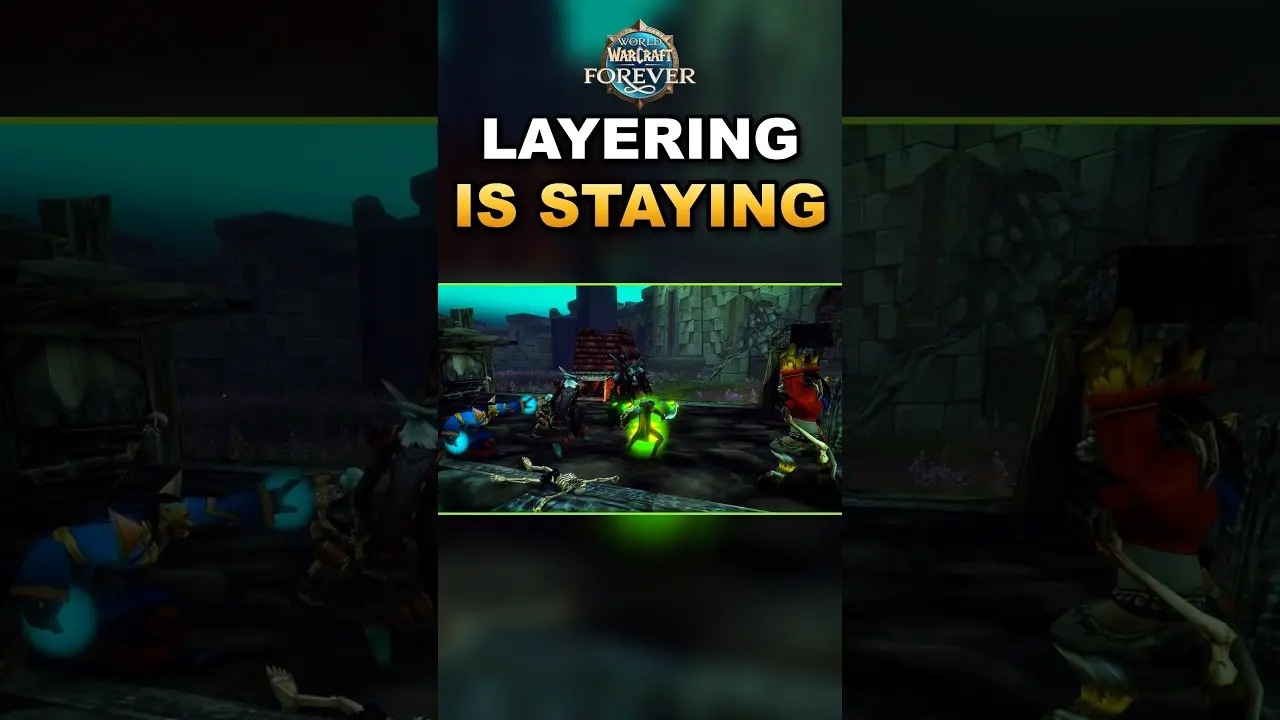
Layers in WoW Forever aren’t going anywhere. Blizzard developers attribute their existence above all to the strict server limits, which can’t handle hundreds of thousands of players in a single continuous world. Since Clay Stone described some form of division as permanent on October 23, you’ll have to switch layers for the entire season.
Blizzard tries to keep familiar players, people who speak the same language, and members of the same guild close together so that friends don’t end up in different worlds. For PvP rulesets, faction balance is added to this list. The company is aiming for a 50/50 ratio, although in the worst-affected region on November 10, the split was around 55/45. You won’t be able to influence the distribution across instances because there’s no option for manual layer selection (neither in the WoW interface nor via chat commands). But group invites and the “Refresh Now” button help you join a friend.
Related Services


Getting on the Same Layer

To end up on the same layer as a friend, the person who is already on the layer where you want to play must send the invite, because a change implemented on October 1 no longer teleports the group leader to the invited player. Getting to a friend’s layer takes four steps:
- One region, one ruleset, and one faction - you can’t form a group across these boundaries, as explained in more detail in our guide to rulesets. You and your friend also need to be in the same zone.
- An invite from a friend - you accept the invitation from the person who’s already standing where you want to be. If you send the invite, your friend will be the one who moves.
- The blue bar above the chat - this bar appears after the invitation and reads, “The world around you will refresh in 30 Minutes. Make sure you are out of combat and in a safe area, or click here to refresh now.” Clicking it opens a window with “Refresh Now” and “Okay” buttons.
- “Refresh Now” (out of combat) - this button teleports you to your friend without waiting, but a change implemented on October 16 prevents you from accepting the teleport while in combat. Exit combat, stand in a safe area, and click “Refresh Now.”
The “Okay” button closes the window, but the transfer will still occur once the waiting period runs out. On the minimized “World refresh in 30 Minutes” bar, the timer counts down from 30 minutes. One group at launch waited the entire time without realizing they could click “Refresh Now.” I recommend inviting from the layer where you’ll be playing and clicking “Refresh Now” during the first quiet minute outside of combat, before you set up camp, because the campfire and Cozy Sleeping Bag are left behind during the transition.
Player in a Different Phase
An icon next to the party frame with the tooltip “You can’t see this player because they are in a different phase” means that a player in your party is on a different layer. This state persists until the invited player joins the rest of the group via “Refresh Now” or the timer. During this time, your party member might be just two steps away from you, but they won’t appear on your screen. There are four things you won’t be able to do together if your instances are different:
- Monsters - the mob you’re attacking won’t be visible to your party member in their instance.
- Quest items - you won’t be able to collect them together because each instance has its own set.
- Healing - the spell won’t find a target that WoW doesn’t show you.
- Trading - WoW doesn’t let you trade with a player from another instance.
The icon next to the frame indicates that you need the blue bar above the chat and the “Refresh Now” button in its window.
How to Force a Layer Change

The most common complaint during the first week was a failed layer change, where the blue bar never appears after you accept an invitation. Since November 5, Blizzard has been collecting reports of such glitches: on that day, Kaivax asked players to post them in a forum thread. But as of November 10, his post remained the only response from the developers in the thread. Until Blizzard says more, you’ll have to rely on the community’s experience, where four methods are considered to work:
- Relog together - log out of the game with a friend and log back in. This method doesn’t work for everyone.
- Adjacent zone - travel to an adjacent location with a friend and return. In one report, this was done between Tirisfal Glades and Silverpine Forest.
- Invite from the other side - disband the party and switch roles: when the second player sends the invite, the transition goes in the opposite direction.
- Starting from scratch - start with a clean slate and send the invitation again. Forum posts indicate that the notification returned after doing this as well.
The same glitch occurred for players separated by different continents or zones. To rule out at least this cause, meet up with a friend in the same location before sending the invitation.
Settings That Keep You Together

Which instance you end up in also depends on two account settings. The first tells Blizzard the language you use to communicate, since the company takes this into account when matching players to the same world. The second stores your account region. You can check both in four steps:
- Social Menu - open it via Options > System > Languages and Social > Social.
- Preferred Online Language - choose the language you use to communicate with other players. An error here will cost you a day’s wait, because this setting applies to your entire account and can be changed once every 24 hours.
- Preferred Account Location - check which region is listed here. Since each setting has its own “Apply” button, click it for both this field and the previous one.
- Relog - log back in after making all changes, as Kaivax advised on November 4.
Take a look even at the settings you haven’t touched, because some players in the EU have discovered that French is set as the default there. A shared guild also keeps its members together. In most cases, guildmates end up in the same world even without a group, notes Frank Williams. But you won’t be able to join a specific friend without an invitation: language and guild are powerless here.
Layer Addons and Their Limits
No addon can force WoW to choose a layer for you. These programs detect the current world instance based on the GUIDs of nearby NPCs and transfer you via an invitation from a player in your zone who has the same addon installed. If there’s no other addon user on the desired layer, this method won’t work. Four addons from CurseForge offer to help you change layers:
- Layer-Swap - is activated by the /ls command and had amassed around 325,800 downloads as of November 10, so it’s easier to find another user of this addon in the desired copy of the world.
- Forever Layer Hop - switches are made using the “Refresh Layers” and “Hop Any” buttons.
- AutoLayer - is activated by the /al command and does not send invitations while you’re in combat or in a dungeon.
- Bulo Layer Forever - displays a layer icon and a guild table. This table lets you see at a glance which world instance each of your guildmates is in.
Blizzard has not announced how often you can hop between layers. But the author of AutoLayer states that 5 minutes must pass between each transition. Since the addon cannot speed up the transfer itself, you’ll have to wait for it to complete after receiving an invitation, just as usual.


Layer Hopping and Its Costs
The camp you set up before layer hopping is in the original world instance: neither the campfire nor the Cozy Sleeping Bag will follow you. Their timers continue to run. For a player mentioned in the November 10 report, a single invitation cost an hour of sleeping bag cooldown, so it’s wiser to set up camp on the new layer. When you change layers, many other things are at stake as well:
- Objectives nearby - an NPC you’re escorting, a quest item on the ground, or a half-dead mob sometimes stays behind in the old copy.
- New surroundings - the interface asks you to move to a safe place for a reason: fresh monsters may be waiting for you on the new layer.
- Rare mobs and mineral deposits - each instance has its own, just like chests and their respawn timers. Blizzard has addressed the glitch that mixed all of this up across several layers for a short time on November 6.
- Waiting for a named mob - in crowded instances, you might have to wait up to 30 minutes. Players suggest teaming up with others in the queue, since the kill will count toward all five group members.
The layer also decides the composition of the opponents you’ll face in open-world PvP. Our guide to PvP progression will help you understand this in more detail.
Blizzard's Layering Changes
Blizzard has been fine-tuning the layers since the beta test. The company has no plans to abandon them and has stated that they will remain in WoW one way or another. In October, the developers addressed group mechanics and transitions between instances. They tackled layer density in November, as zones at first appeared empty to players but became overcrowded as player numbers grew. Since early October, key updates have come out in the following order:
| Date | What Changed | What Was Affected |
|---|---|---|
| October 1 | Group leader does not transfer | Who invites |
| October 16 | Transferring in combat is prohibited | “Refresh Now” window |
| October 23 | Fellow travelers stay together | Ships, zeppelins, capital cities |
| October 29 | Timed transition window | Joining a group |
| November 5-6 | Player visibility range | Zones that appear empty |
| November 9-10 | Player count reduced, faction balance | Overcrowded zones, PvP |
Blizzard has not given any timelines for either merging layers or manual selection. In the note accompanying the November 9 hotfix, the company promised to “continue to monitor” the situation. Meanwhile, WoW Forever players often ask to be allowed to choose their layer themselves, even if it involves a cooldown or is limited to cities. But there is no response to this request in Blizzard’s aforementioned statements.
Skip the Layer Hunt

Due to WoW Forever layering, finding the right world instance has become a real hunt. In it, you end up waiting over and over again for an invitation from a player on the right layer and clicking “Refresh Now.” Our three WoW Forever services will help you avoid this hunt and save the time you were planning to spend on leveling, taming, or gathering:
- WoW Forever Character Leveling Boost 1-60 - your character is leveled up through quests. You won’t have to wait in a 30-minute queue just to kill a single mob, because our team handles camping named mobs and finding the right instances.
- New Rare Pets Taming Boost - we’ll explore various layers ourselves in search of new rare pets and tame them for your hunter.
- Profession Materials Kit - you’ll receive profession materials via mail or trade, rather than gathering them from deposits in other world instances.
You can find our other in-game services in the WoW Forever boosting services section.
WoW Forever Layering FAQ
Can you choose your layer in WoW Forever?
You cannot choose your layer at will in WoW Forever. The game itself changes the layer for you when you join a group, click “Refresh Now” in the transition window, or cross a zone boundary. When traveling alone, you’ll switch world instances on your way from Tirisfal Glades to Silverpine Forest, since each location (or small group of locations) has its own instance. Sometimes WoW teleports you to your guildmates on its own when you meet up with them.
Does WoW Forever have a layer cooldown?
There is no official cooldown for switching layers in WoW Forever. The creator of AutoLayer mentions a 5-minute interval between jumps, though the developers have not confirmed this figure. In the 2019 Classic version, Blizzard introduced a progressive cooldown for anyone who switched layers too often.
Do layer addons work in WoW Forever?
Addons like AutoLayer work, but with one caveat. You need a player from a suitable world copy who is standing in your zone and using the same addon, whether it’s Layer-Swap or Forever Layer Hop. The addon just arranges a group invite from that player, because third-party code cannot choose a layer in place of WoW. If there isn’t a single player using that addon in the desired world instance, you’ll remain where you are, no matter how many times you type /ls.
Can you trade across layers in WoW Forever?
WoW won’t let you trade with a player on a different layer until the group and the “Refresh Now” button bring you into the same world instance. A case was described on the forum where a trade fell through because the notification “The world around you will refresh in 30 Minutes” never appeared. To bring it back, try logging back into the game or traveling together to a neighboring zone like Silverpine Forest.
Will Blizzard remove layering from WoW Forever?
Blizzard has no plans to remove layering from WoW Forever. The company continues to fine-tune it, as shown by the updates on November 9-10. Clay Stone says that layers will remain “through launch and beyond,” meaning at launch and after. Until the end of the season, you’ll still need a group, the “Refresh Now” button, and your Preferred Online Language set right.